Skip to content

A personal archive for iPhone

Preparing for the App Store · iPhone

Your privacy. Your own space.

Photos, browsing and logins in your own private space. You choose what stays with you and what you share.

Coming soon on theApp Store
Explore arkeeper

arkeeper

A little more private. Every day.

See what it means for your photos, the sites you visit and the moments you share.

Your private camera

A photo for you. Not for every device.

Take a photo with the camera in arkeeper. It goes into your encrypted archive, without an automatic copy appearing in Photos or iCloud Photos.

The film shows the standard iPhone Camera with iCloud Photos enabled.

  • Photos and video straight into your archive
  • No automatic copy in Photos
  • Your folders. Your own lock.
Good to know

Photos taken with arkeeper’s camera stay in the archive on this iPhone. Importing an existing photo does not automatically delete its original. Photos sync between devices only when sync is enabled.

Your browser. Your logins.

Explore the web. Keep it personal.

Visit websites inside arkeeper, separate from Safari. Keep the bookmarks and passwords you choose, without a saved list of your browsing history.

  • No saved browsing history
  • Store encrypted logins in arkeeper
  • Open pages close when you lock the archive
Good to know

Back and forward work while the browsing session is open. Locking the archive closes the pages. Your chosen bookmarks and logins remain. The browser is not a VPN: websites can still see your network and recognise accounts you sign in to.

Your space to meet someone

Curious about someone? That’s your business.

Visit a dating site in arkeeper’s browser. Explore profiles and use your saved login without the visit appearing in Safari history or syncing from Safari to your other devices.

  • Dating inside your private browser
  • Your login stays in arkeeper
  • No saved browsing history in the app
Good to know

The illustrated dating site is fictional. arkeeper is a browser, not a dating service. A website can still keep activity on your account; arkeeper does not make you anonymous to that website.

Share the photo. Keep the details.

A good photo doesn’t need to tell everything.

Share a clean copy of your photo without its original location, capture date and camera information. The moment comes along. The original stays in your archive.

  • Original GPS location removed
  • Capture date and camera metadata removed
  • Your original photo stays intact
Good to know

Clean photo sharing creates a new JPEG without the original metadata. This applies to the photo copy, not every file type. Visible details in the image remain, and the receiving app may add new information.

Keep the moment. Cover the faces.

Keep faces private. In photos and video.

Take a photo, record a video or import into arkeeper. Blur or cover faces and areas that should stay private. Review the result before saving and sharing.

Mark the areas. Choose Follow selection. Review the finished video before saving.

  • Mask faces in photos and video
  • Blur or opaque coverage
  • Review the result before sharing
Good to know

Masking covers image areas; it does not remove people from the scene. Automatic processing may need manual help. Review the whole video: voices, clothing and surroundings may still be recognisable.

arkeeper

Notes. Browser. Recovery.

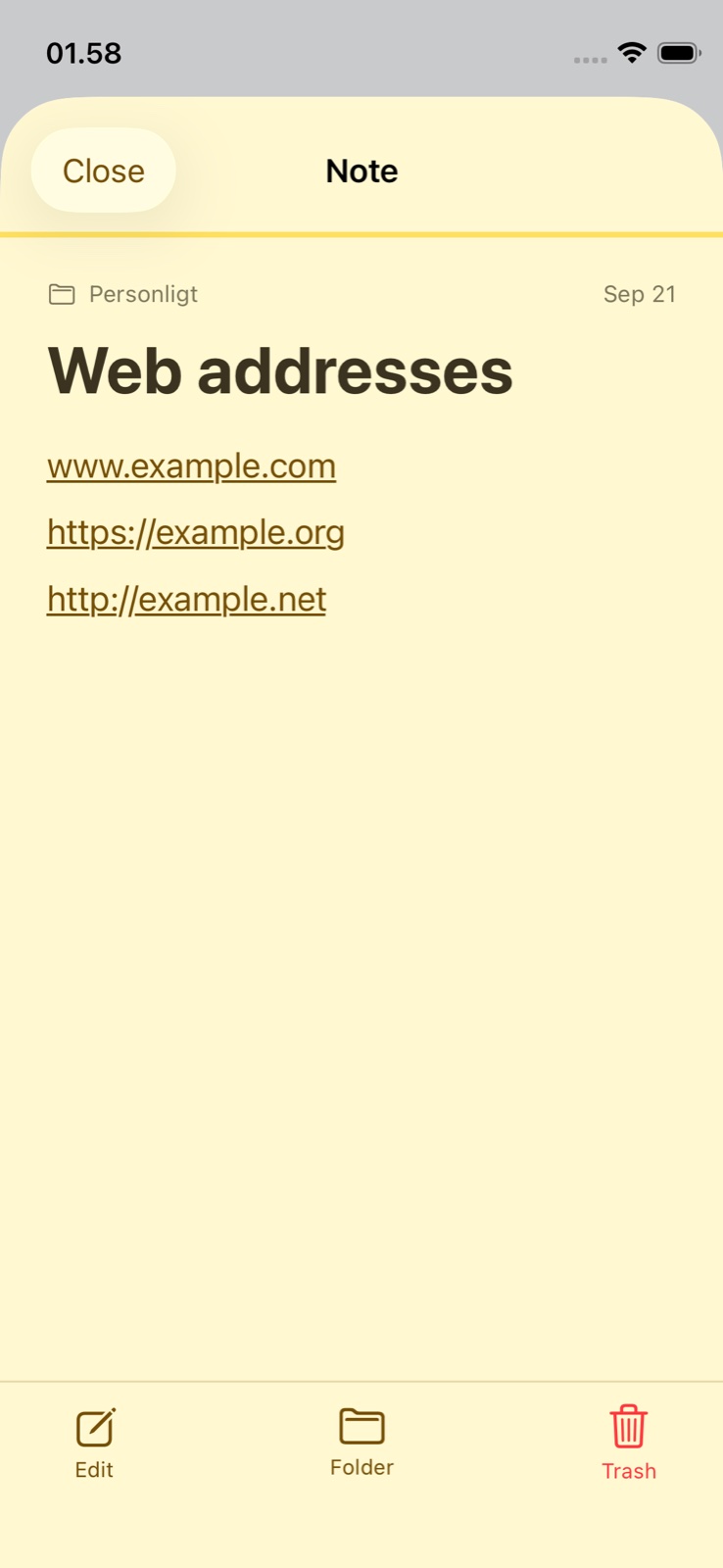
An encrypted note containing tappable example web addresses
A note. A link. Your browser.
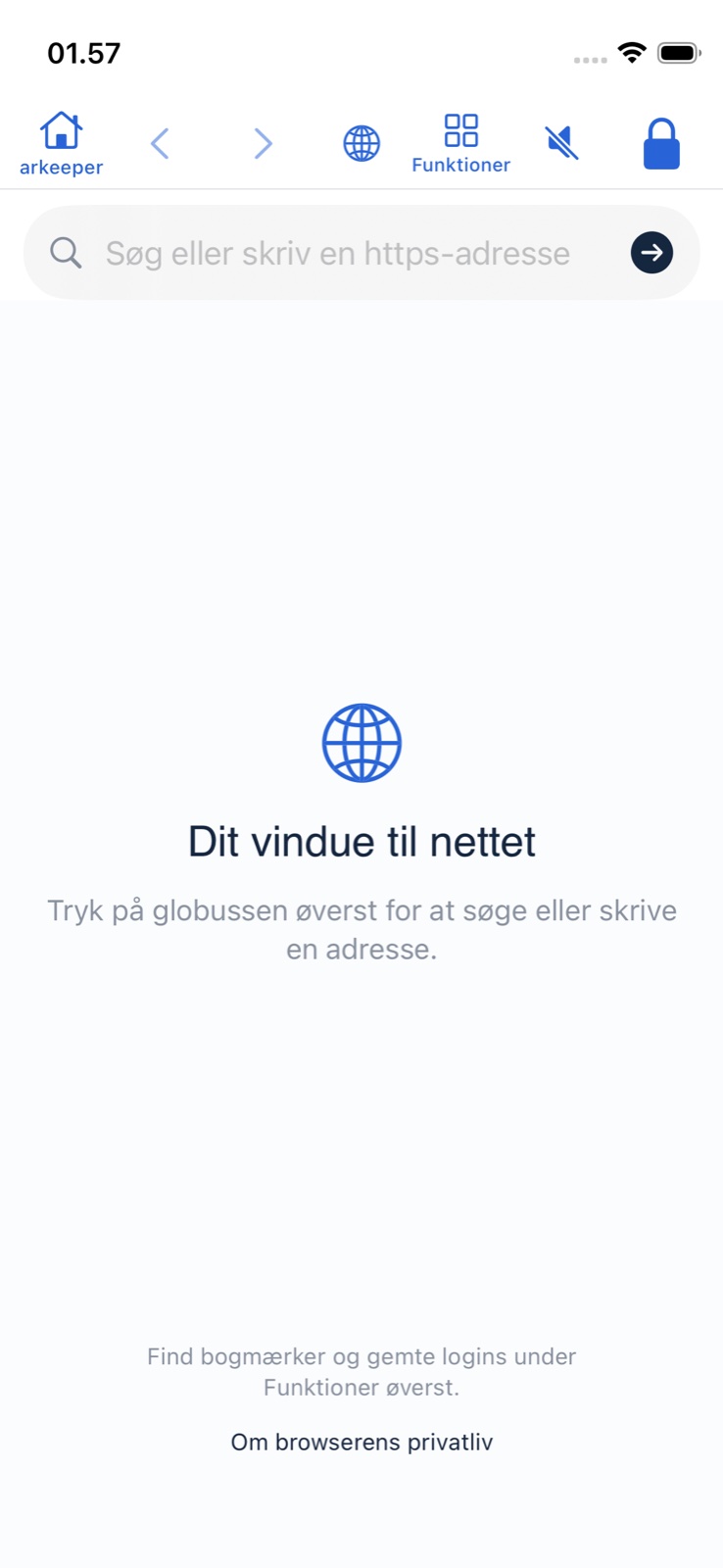
The arkeeper browser start page with the new Home button
App screen in Danish
One tap back home.
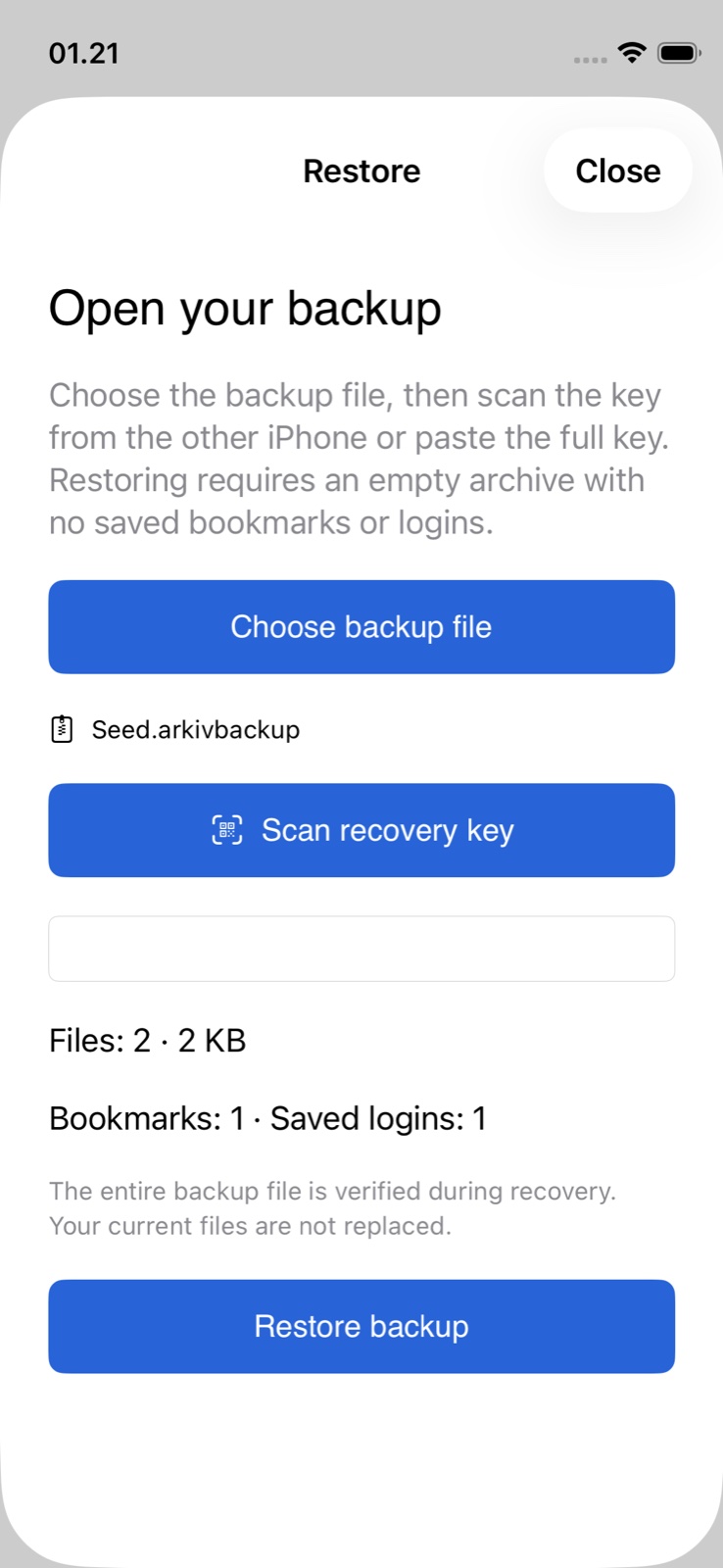
The Restore screen after verifying a sample backup, with file, bookmark and login counts
A new phone. The same archive.

Start private. Add Pro.

FREE

Archive · camera · notes · clean photo sharing · backup

arkeeper Pro

Browser · audio recording · editing · face masking

Features, pricing & what happens if you cancel

FREE + ONE PRO PLAN

Your archive is free. Go further with Pro.

Choose the tools you need. Both Pro billing options unlock the same features.

arkeeper Free

A complete home for what you want to keep.

  • Encrypted local archive, folders and search
  • Notes with links and attachments
  • Private photo and video camera
  • Open, import, share and export your saved files
  • Share photo copies without original GPS and camera metadata
  • App lock, folder codes, manual backup and recovery

arkeeper Pro

Everything in Free, plus tools to create and edit.

  • Browser separate from Safari, with bookmarks and saved logins
  • Open note links inside arkeeper and return with Home
  • Audio recording with a timer
  • Photo editing and video and audio trimming
  • Face masking in photos and video: blur or black bars

Monthly

DKK 29

/ month

Yearly

DKK 199

/ year

199 DKK billed once a year.

Planned Danish launch prices. Purchases are not open yet. Local prices will be shown in the App Store.

Your content stays yours.

If Pro expires, your saved files, notes, bookmarks and logins stay accessible. Opening, exporting, backing up and restoring your saved content remain free. Pro is needed to start new browser sessions, recordings and editing jobs.

At launch, subscriptions will be managed through Apple and renew automatically until cancelled. Restore Purchases restores Pro access, not archive files or recovery keys.

Cloud storage is not included. Automatic cloud backup and voice changing are not available.

Everything else, when you need it.

More together. More yours.

One private place for browsing, photos, videos, documents, audio and notes — organized your way.

Your own browser · Pro

Browse inside arkeeper with your own bookmarks and saved logins, separate from Safari. Web addresses in notes open here too. Tap the arkeeper Home button to return to your archive while keeping your browser pages.

Locking the archive closes live pages. Websites can still recognize your network and the accounts you sign in to.

The arkeeper browser start page with the new Home button
App screen in Danish
Privacy you can understand.

Privacy you can understand.

arkeeper is built around an encrypted archive on your iPhone and clear choices about access and sharing.

Read more about privacy
Encrypted on your iPhone
Content in the local archive is stored encrypted. Access requires your iPhone's authentication and any extra codes you have chosen.
You choose what is shared
Share selected copies when you need to. When sharing photos, arkeeper can remove the original's location and camera metadata.
Clear boundaries
A shared file is outside the archive. Websites can record your activity, and covering a face does not necessarily make a person anonymous.

Questions and answers